Ever tried to move a text box two pixels to the left in Squarespace and ended up in a full-blown existential crisis? Or spent three hours trying to make your Wix site look less… Wix-y? Yeah, me too. That’s actually how I found Showit five years ago, and I haven’t looked back since.
I’ve been designing on Showit for half a decade now. I’ve visited their headquarters in Phoenix three times. Todd, the owner, knows me by name. So when I say I’m obsessed with this platform, I mean it in the most genuine, slightly unhinged way possible.
By the end of this post, you’ll know exactly what Showit is, who it’s for (and who it’s NOT for), and whether it’s the right fit for your business. Let’s dive in.
So… What IS Showit?
Showit is a drag-and-drop website builder that gives you complete creative freedom without touching a single line of code. Think Canva for websites, but way more powerful and built for actual businesses.
Here’s the key difference: Unlike other website builders where you’re stuck in rigid boxes and pre-set layouts, Showit gives you a blank canvas. You design exactly what you envision. Want to overlap an image with text? Do it. Need to move your headline three pixels to the right? Go for it. Hoping to create a layout that doesn’t exist in any template anywhere? That’s literally the point.
One quick clarification that trips people up: Showit handles your website design (the visual stuff), and WordPress handles your blog (the writing and SEO stuff). They work together beautifully. You design your blog layout in Showit so it matches your site perfectly, but you write and publish posts in WordPress. Best of both worlds.
Why Designers Are Genuinely Obsessed with It
Complete Design Freedom (Actually)
When other platforms say “customizable,” they mean you can change colors and swap out photos. When Showit says it, they mean you can move anything anywhere, resize everything, overlap elements, and create completely custom layouts that don’t exist anywhere else.
There are no “sorry, you can’t do that” error messages. No fighting with pre-set content blocks. No compromising your vision because the template won’t cooperate.
This is why you see drop-dead gorgeous websites on Showit. Designers aren’t limited by someone else’s vision. We can actually create what we see in our heads.
Mobile Design That Doesn’t Suck
Here’s a dirty little secret about most website builders: their mobile sites are just squished, auto-generated versions of your desktop site. And they usually look… not great.
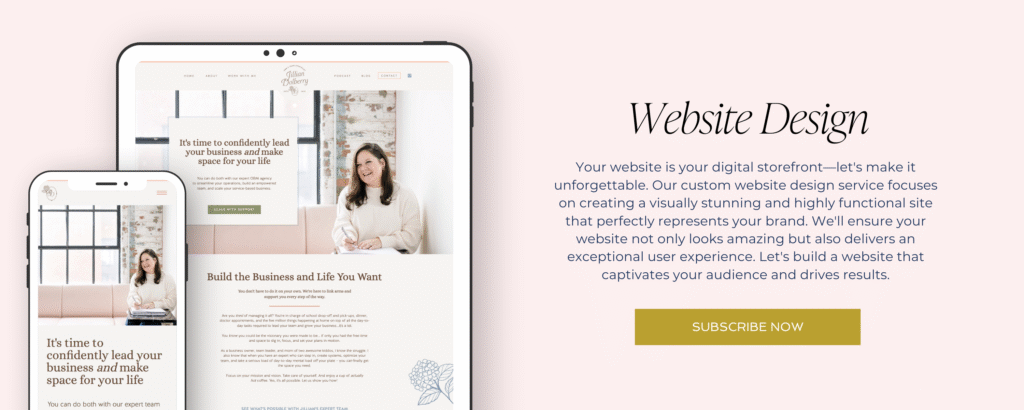
Showit lets you design your desktop and mobile sites separately. That means you can move, resize, hide, or completely reimagine elements for mobile users without affecting your desktop design at all.
Why does this matter? Because most of your website visitors are on their phones. If your mobile site looks like a desktop site that got run over by a truck, you’re losing clients.
WordPress Integration = Best of Both Worlds
Remember how I said Showit and WordPress work together? Here’s how it actually works:
You design your blog layout in Showit with full creative control over fonts, colors, image placement, everything. Then you write your actual blog posts in WordPress, which gives you access to powerful SEO tools, easy scheduling, categories, all the organizational stuff WordPress does really well.
Showit takes your WordPress content and drops it perfectly into the beautiful design you created. It looks seamless, feels custom, and works like a dream.
Bonus: If you’re switching from WordPress or Squarespace, Showit’s Advanced Blog plan includes free blog migration. They’ll move all your posts, images, and comments for you.
Hosting Included (One Less Thing to Worry About)
You don’t need to juggle a separate hosting provider. Showit includes hosting, automatic backups, security, and solid support all in one place.
And here’s what I love about Showit’s team: they’re a small, US-based company. When you need help, you’re talking to real humans who actually care about your success. I’ve worked with enough massive, faceless corporations to know how rare this is.
Who Should Use Showit?
Showit is perfect for:
Creatives who care about design. Photographers, designers, coaches, service providers, anyone who wants their website to actually reflect their brand personality.
People who want control over their visuals. If you have a specific vision and you’re tired of templates that don’t quite get there, Showit is your answer.
Business owners who want to update their own site. You shouldn’t have to wait on a designer to change a headline or swap a photo. With Showit, you can make updates yourself whenever inspiration strikes.
Both DIYers and designers. You can start with a Showit template (we have some beautiful ones, if I do say so myself) and customize it completely. Or go full custom when you’re ready. Both paths are valid. It’s about what makes sense for your business right now.
Anyone tired of cookie-cutter websites. If you want to stand out instead of blend in, Showit gives you that power.
Who Should NOT Use Showit?
Let’s be honest, because I’m not here to sell you something that’s wrong for you.
Showit might not be the best fit if:
You’re running an e-commerce site with hundreds of products. Showit wasn’t built for full-scale online stores. You CAN sell on Showit using Shopify Buy Buttons, ThriveCart, or other integrations, but if you’re managing massive inventory, just use Shopify for your whole site.
You want an all-in-one solution. Showit doesn’t include built-in analytics, email marketing, or domain registration. It’s a website builder (a really good one), and you’ll connect other tools for everything else.
You want zero learning curve. There IS a learning curve with Showit. It’s not hard, but it does require some time to get comfortable. If you need a site up in 30 minutes and never want to think about it again, this probably isn’t your platform.
Here’s the thing: I’m platform agnostic. I’ll tell you when Squarespace or WordPress makes more sense for your specific situation. But for most creatives who value design control and brand personality? Showit wins.
Common Questions About Showit
Showit has three pricing tiers:
Basic (no blog) starts around $19/month when you pay annually. Blog Starter (includes WordPress blog) runs about $24/month annually. Advanced Blog (with migration and custom plugins) is around $34/month annually.
All plans include hosting, automatic backups, security, and support. You’ll need to buy your domain separately through GoDaddy, Namecheap, or any domain registrar, but that’s pretty standard across all platforms.
Is there a learning curve? Yes. Is it worth it? Absolutely.
The drag-and-drop interface is intuitive once you get the hang of it. And Showit’s support team is genuinely incredible. I’m not just saying that because I love them (though I do). They respond fast, explain things clearly, and actually solve problems.
Plus, there are tons of tutorials, a supportive Facebook community, and designers (like me!) who share tips and tricks all the time.
Both options totally work!
Showit templates are a great starting point if you’re the DIY type. You get a professionally designed foundation that you can customize to fit your brand. (Shameless plug: we have Showit templates that are designed for easy customization, no tech degree required.)
Custom design is the next step when you’re ready for something completely unique, built specifically for your business.
I’ve seen stunning DIY sites and stunning custom sites. It’s not about one being “better.” It’s about what fits your timeline, budget, and design confidence right now.
Showit has solid SEO capabilities: you can customize page titles, meta descriptions, alt text, and header tags. The WordPress integration gives you access to Yoast and other powerful SEO plugins.
Can you rank well on Showit? Absolutely. You’re literally reading a Showit site right now, and we rank for competitive keywords all the time. SEO is way more about strategy and content than the platform you’re on.
Ready to Try Showit?
Showit offers a 14-day free trial with no credit card required. You can test drive it yourself and see if it clicks.
Want to skip the DIY stress? Check out our Showit templates. They’re strategically built, professionally designed, and crazy easy to customize.
Or if you’re ready for a fully custom website that actually reflects your brand (the kind that makes you proud to send people to your site), let’s talk about custom website design.
And if you want the full story on why I’m this obsessed with Showit, including the time I toured their Phoenix headquarters and geeked out over their design process, read my full Showit love letter.
The Bottom Line
Showit is a drag-and-drop website builder that gives you creative freedom, pairs beautifully with WordPress, and is beloved by designers for very good reasons.
It’s not for everyone. But if you’re a creative who values design control, wants a website that doesn’t look like everyone else’s, and is ready to invest a little time in learning a platform that will grow with your business? It might just become your new favorite thing.
Questions? Drop them in the comments or send me a message. I love talking Showit. (Clearly.) 🤍