Hey hey, friend! If you’ve ever gone down the rabbit hole of trying to pick a website platform, first of all, I am so sorry. It is a lot. Squarespace, Wix, WordPress, Webflow, and approximately one million other options all promising to be the easiest, the prettiest, the most SEO-friendly, the most everything.
It’s overwhelming. I get it. I really do.
So today I want to talk about one of my absolute favorite website platforms, the one I use for almost every single client project and all four of my own website templates: Showit. If you’ve been hearing the name pop up and wondering what it actually is and whether it might be right for you, this one is for you. Let’s break it all down!
So What Is Showit, Exactly?
Showit is a drag-and-drop website builder designed with creatives and service-based business owners in mind. It gives you complete design freedom to build a beautiful, fully custom website without needing to know a single line of code. Not one. Zero. Nada!
Unlike a lot of website platforms that lock you into rigid templates and pre-set layouts, Showit lets you place elements exactly where you want them on the page. Text, images, buttons, shapes — you move them around freely, resize them, layer them, and make them look exactly the way you want. It’s kind of like designing in Canva but for your entire website, if that makes sense!
One of the things that makes Showit really special is that it pairs seamlessly with WordPress for blogging. So you get the beautiful drag-and-drop design experience of Showit AND the incredibly powerful SEO blogging capabilities of WordPress all in one place. It really is the best of both worlds!
How Is Showit Different From Other Website Builders?
Great question, and honestly one I get asked a lot! Here’s a quick and friendly breakdown:
Showit vs. Squarespace
Squarespace is a solid platform and a lot of people start there, which makes total sense. It’s clean, it’s reliable, and it’s pretty beginner-friendly. But here’s the thing: Squarespace keeps you inside the box. You’re working within a grid system that limits where things can go and how your pages can look. Showit throws the box out the window entirely. The design freedom you get with Showit is honestly in a completely different league, which is why so many designers (including me!) prefer it for clients who want something that truly feels custom.
Showit vs. Wix
Wix is another popular option, especially for people just starting out. It’s very beginner-friendly and has a lot of apps and integrations. But Wix tends to fall behind when it comes to SEO capabilities and design sophistication, especially as your business grows and your website needs to do more heavy lifting. Showit’s WordPress blogging integration is a huge advantage here because WordPress is genuinely one of the best platforms in the world for SEO.
Showit vs. WordPress
Okay, this one is a little nuanced because Showit actually uses WordPress under the hood for blogging! Standalone WordPress gives you incredible flexibility and SEO power, but it also has a steeper learning curve and usually requires plugins, themes, and a bit more technical know-how to make it look the way you want. Showit gives you that WordPress SEO power for your blog while making the design side so much more approachable and frankly a lot more fun.
Who Is Showit Best For?
Showit is honestly a dream platform for service-based business owners, coaches, consultants, photographers, wellness professionals, and creative entrepreneurs. Basically, if you are a woman running a small business and you want a website that looks stunning, functions beautifully, and doesn’t require a computer science degree to manage, Showit is probably your person.
It’s especially great for female entrepreneurs who care deeply about how their brand looks and feels online but don’t have the time or desire to learn complicated tech. You want something you can actually get into and update yourself when you need to, without calling your web designer every single time you need to change a photo or update your pricing. Showit makes that possible in a way that a lot of other platforms just don’t.
If you’re still figuring out whether your website is set up to actually grow your business, check out our post on web design for female entrepreneurs for a deeper dive into what your site actually needs to do!
What Does a Showit Website Actually Look Like?
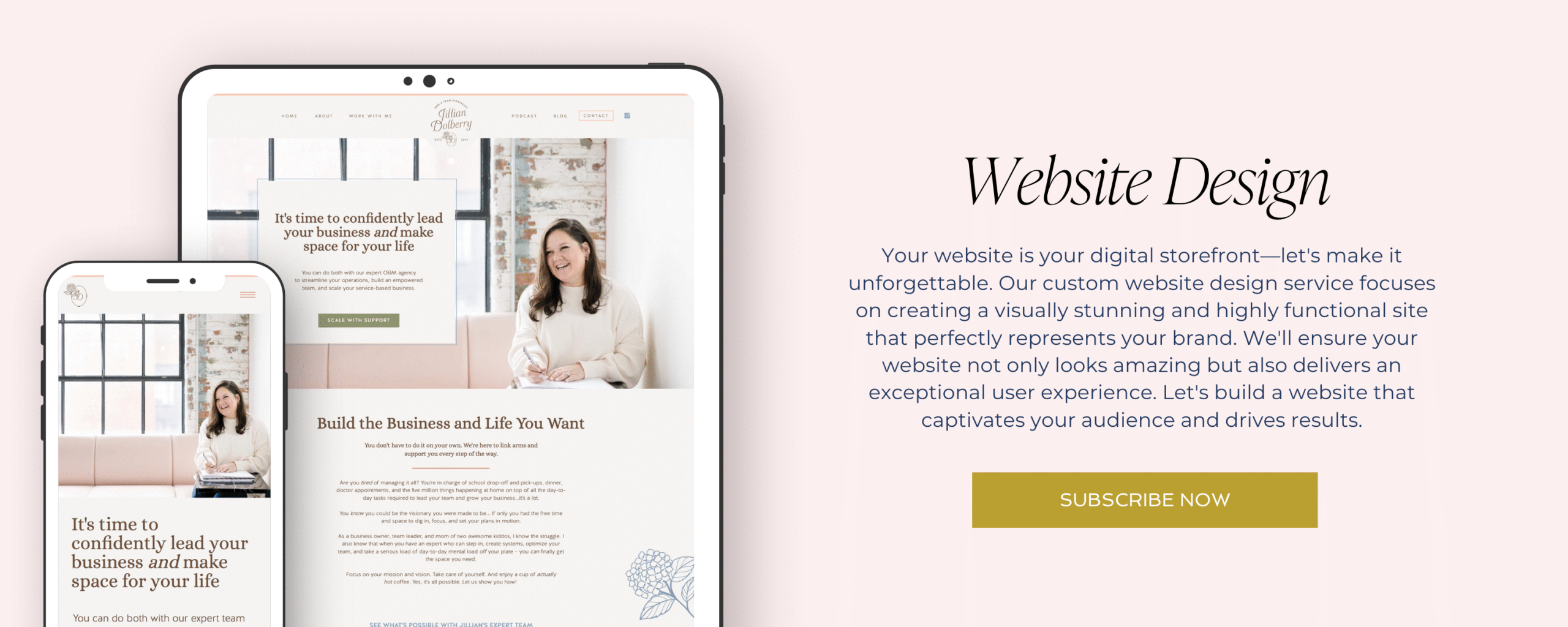
This is the fun part! Showit websites can honestly look like absolutely anything because the design freedom is so wide open. But the best ones, in my humble opinion, are cohesive, strategic, and feel completely on-brand from the first second you land on them.
At Makena Creative, we have four Showit website templates that give you a really great sense of what’s possible:
Abalone & Co is sophisticated and service-based, designed for the established business owner who needs her website to finally catch up to her level.
Ava Grant is clean, modern, and message-first, perfect for coaches and consultants who need crystal clear communication front and center.
Mindful Movement is soft, grounded, and genuinely beautiful, made for wellness professionals, doulas, therapists, and anyone in the health and healing space.
Poppy & Co is vibrant, warm, and full of personality, built for the creative entrepreneur who wants her whole vibe to show up before she even says hello.
Want to see them all? Check out the full template shop here!
Is Showit Hard to Use?
Honest answer? There is a bit of a learning curve, especially if you’ve never used a drag-and-drop builder before. The first time you open up your Showit canvas it can feel a little “wait, where do I even start?” and that is a completely normal reaction, I promise!
But here’s the thing: once you get the hang of it, it is genuinely so much fun to use. The drag-and-drop functionality is intuitive, Showit has tons of tutorial resources and a really supportive community, and if you’re starting from one of our templates rather than a blank canvas, a huge chunk of the work is already done for you. You’re just swapping in your content, your colors, your photos, and making it yours.
And if the DIY route still feels like too much? That is exactly what we are here for at Makena Creative. We build custom Showit websites for female entrepreneurs and small business owners who want something completely done for them, strategy and all. Learn more about our services here!
How Much Does Showit Cost?
Showit offers a few different pricing tiers depending on what you need. Here’s a quick overview:
The Basic plan starts at around $19 per month and includes Showit hosting without the WordPress blog integration.
The Advanced Blog plan starts at around $34 per month and includes everything plus the WordPress blogging integration, which is what most service-based businesses need and what I personally recommend.
The Advanced Blog Annual plan is the same as above but billed annually, which saves you a bit of money over the course of the year.
Pricing does update from time to time so I always recommend checking Showit’s website directly for the most current numbers! But as website platforms go, it is genuinely very reasonably priced for what you get.
Frequently Asked Questions About Showit
Do I need to know how to code to use Showit?
Nope, not even a little bit! That is genuinely one of the best things about Showit. It is built specifically so that non-technical business owners can create and manage beautiful websites without touching a single line of code. If you can drag, drop, click, and type, you can use Showit!
Can I blog on Showit?
Yes! And this is actually one of Showit’s biggest strengths. Showit integrates seamlessly with WordPress for blogging, which means you get a gorgeous Showit-designed blog that runs on WordPress under the hood. WordPress is one of the most powerful blogging and SEO platforms in the world, so this combination is honestly a dream for small business owners who want to use blogging as part of their marketing strategy.
Is Showit good for SEO?
Really good, actually! Because the blog side runs on WordPress, you get access to powerful SEO plugins like Yoast and Rank Math that help you optimize every single post. The main Showit pages are also fully optimizable with custom page titles, meta descriptions, and alt text. If SEO is a priority for your business (and it should be!), Showit gives you all the tools you need to make it happen.
Can I use my own domain with Showit?
Absolutely! You can connect your existing custom domain to your Showit website super easily. If you don’t have a domain yet, Showit can help you get one set up too. Either way, your website will live at your own custom URL, not some clunky platform-branded address.
What happens to my website if I cancel Showit?
This is a really smart question to ask before committing to any platform! If you cancel your Showit subscription, your website will go offline since Showit hosts your site as part of the subscription. Your content and design are saved and you can export your blog posts, but your site won’t be live without an active plan. It’s worth keeping in mind as you think about your website as a long-term investment!
Ready to Build Something Beautiful on Showit?
If you’ve made it to the end of this post and you’re thinking “okay, I think Showit might be my thing,” yay! I love that for you!
Here’s how to take the next step depending on where you are right now:
If you’re ready to DIY it, our Showit templates are the perfect starting point. Strategically designed, easy to customize, and built so that your finished website looks like it was made just for your business. Because in a way, it really was! Browse all four templates here.
If you’d rather have the whole thing done for you, that’s exactly what we do at Makena Creative. Custom brand and website design for female entrepreneurs who are great at what they do and just need a site that shows it. Book a free connection call here and let’s figure out what’s right for you!
And if you’re not quite sure where your current website stands, start with the free Website Gut Check! Ten things your site needs to close clients, totally free, zero jargon. Comment CHECKLIST on our latest Instagram post and I’ll send it straight to your DMs. Or grab it right here: Website Gut Check Freebie